Capabilities
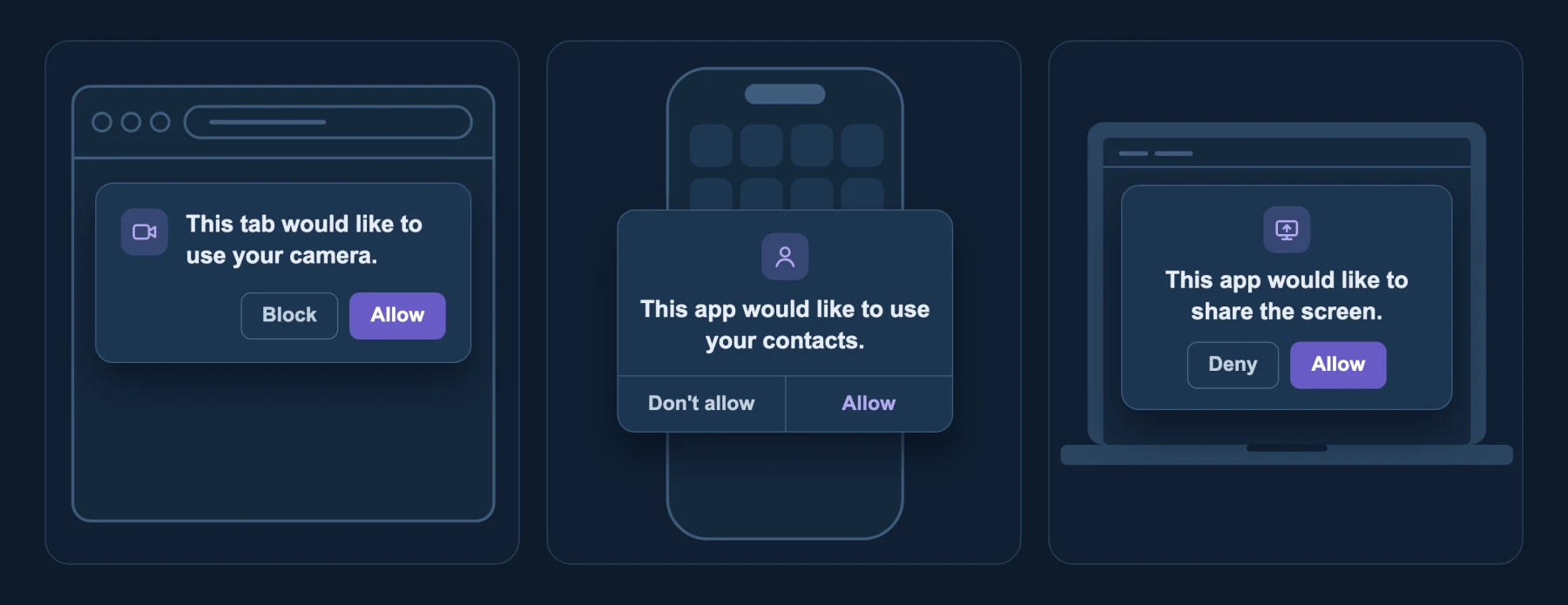
You already use capabilities every day. When a browser tab asks for your camera, or an app asks for your contacts, you grant one tightly scoped permission, and the sandbox around that tab or app enforces it. The tab doesn't get the rest of your computer.
The Agent SDK applies the same model to agents. A capability is one specific kind of access handed to one component on purpose, such as a single folder or a single website. Every part of an agent starts with none and gets only the capabilities its job needs. This page explains what can be granted, how that differs from most agent SDKs, and why what code can reach is the boundary that matters.
Give each piece only the capabilities it needs
An agent is several pieces working together: the harness, the loop that asks the model what to do next and runs the tools it picks; the model, which decides the next step; the tools, which do the work; and the session, which keeps the conversation. Breaking an agent down this way is what lets you limit each piece separately.
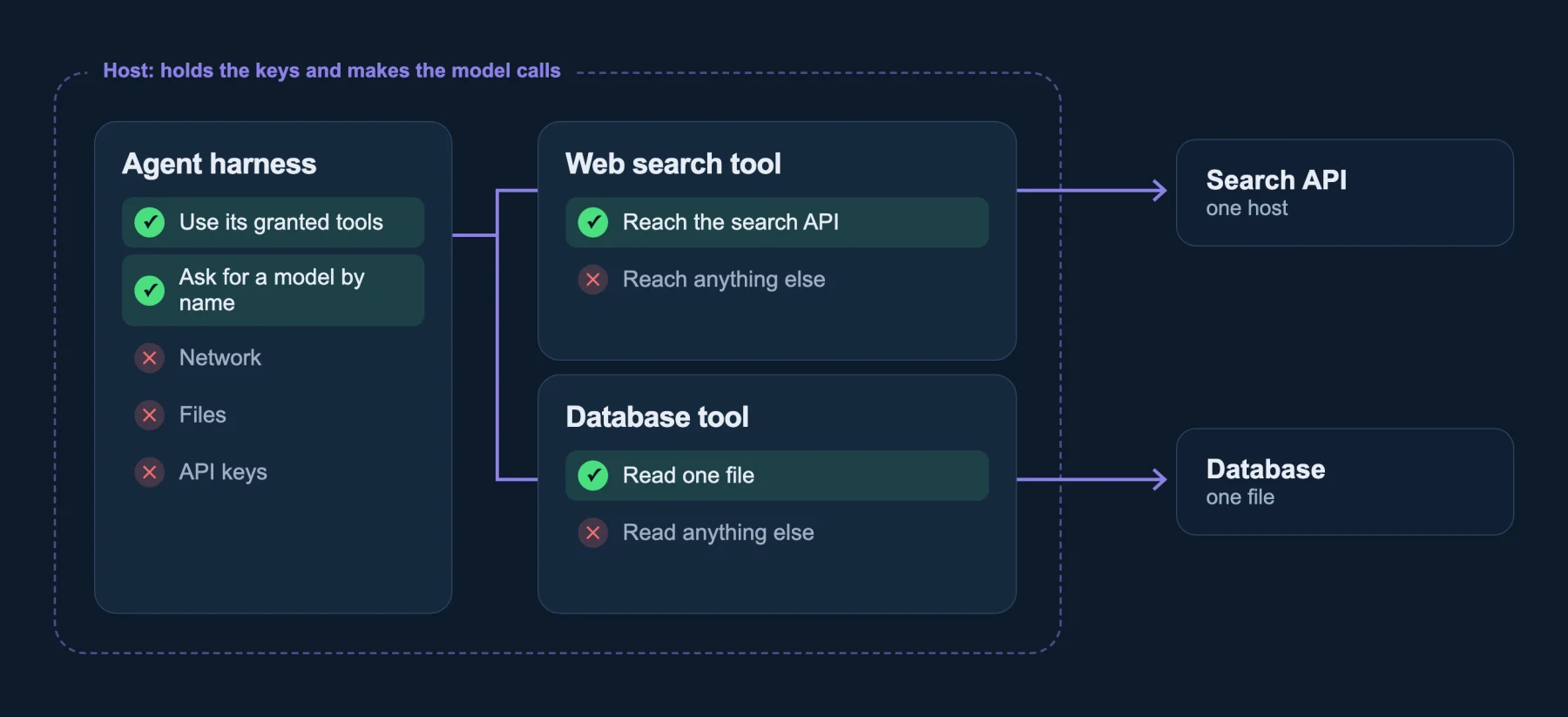
The harness reaches nothing on its own. Each tool reaches one thing, and only what the platform allows. Each component also has its own private memory, and the host connects them only through typed interfaces, like libraries.
The agent still holds every grant its tools hold, because it can ask a tool to use its grant, so keep each grant narrow.
What you can grant
A component can use the capabilities it was granted and nothing else, and it has no way to make up new ones. The Learning Hub’s guide to capabilities covers the idea in depth.
In the Agent SDK, each tool and the agent harness get their own set of capabilities, called grants. A grant is one of a handful of things:
- A folder, read only or writable. The component sees that folder and nothing outside it.
- A list of hosts it may call over the network. An empty list reaches nothing.
- Settings and environment values the host chooses to show it. Everything else is invisible.
- A store, such as a key-value bucket the platform created.
- A secret, by reference. The grant names the secret; the host resolves the value, so it never appears in a spec, a log or the agent's conversation.
Anything not granted does not exist for that component. There is no shell to escape to, no network stack to misuse, and no home directory to wander into.
Start closed and grant only what the agent needs
Most agent SDKs run the agent as an ordinary process. That process has whatever its user or container has: the files, the network, the environment variables and the tokens that come with it. Safety is then added on top, as permission prompts or a sandbox you can turn on.
That approach starts open and subtracts. Every limit is something you have to remember to add and keep current, and anything you forget stays open.
A component starts from the other end. It has nothing to trim, because it begins with nothing, and each grant is a deliberate addition.
So the question is never "what did we forget to block?" It is "what did we grant?", and the answer is a short list you can read.
None of this is new as an idea. Running each service with only the permissions it needs is standard practice for Kubernetes workloads and cloud IAM roles. The difference is the default.
With a container you build least privilege by adding limits: a network policy, a read-only root filesystem, no mounted service account token. With a component, least privilege is where you start, and each grant is a deliberate addition. The Principle of Least Authority page covers the background, and Deny by default covers why denylists and auto-approve fall short.
Grant a few capabilities, then let the agent compose
The pattern that works is simple: for each task, list the handful of capabilities it needs, deny everything else by default, and let the agent combine its tools however it likes inside that space.
Freedom inside the boundary matters. A model that can freely combine a folder reader, a search tool and an HTTP fetcher can solve problems you did not anticipate. Because the boundary is what those tools can reach, not which steps the model takes, you do not need to predict its steps to keep it safe.
What matters is what code can reach
Many ordinary programs can run other programs or arbitrary code:
python -c '...'runs any Python program you can fit in a string, including one that opens sockets or reads your SSH keys.find . -exec ... \;runs any command on every file it finds.gitcan run hooks,tarcan run a program to compress, and most interpreters and build tools can run whatever they are told.
Hundreds of common Unix tools have known escapes like these, to say nothing of escapes that haven't been identified yet. Knowing which program is running tells you little about what it can do. What you actually care about is what that program can reach: which files, which servers, and which secrets.
It's not about the strength of the wall
Stronger isolation is the usual response to agent risk. gVisor, Kata Containers and microVMs are all isolation walls, and they're good ones. But the isolation wall decides what gets out of the box. Grants decide what code can do inside.
| The escape | In a default gVisor or microVM sandbox | As a component |
|---|---|---|
sqlite3 .shell | Runs a shell in the box | No processes to start |
curl file:/// | Reads any file in the box | Sees only its own folder |
curl and sqlite3 together | Shared access to the box, or one VM per tool | Separate grants per tool, in one process |
The two work together. Components run inside an ordinary host, so you can keep your walls around it and add grants inside. See The wall and the grants.
Give it a grant, not a binary
When an agent needs the web, give it an HTTP tool scoped to the hosts it needs, not a native curl binary. The tool can reach api.github.com and nothing else, and every request it makes passes through the host, which checks it.
Allowing a native curl binary allows whatever its flags can do: any URL, uploading local files, writing output to any path. Restricting it means chasing flags. An HTTP tool with a host list has nothing to chase. If you do want curl itself, compile it to a component, and it sees only the hosts and folder it was granted, whatever flags it's given.
Agents adapt well to this. Models use the tools they are told about, and a clear tool such as "fetch a URL from these hosts" is easier for a model to use correctly than a command line with dozens of options.
Each step up: fewer calls, more meaning
The same action can be described at different levels. The higher the level, the fewer calls it takes and the more each call means, which is what makes policy readable.
| Level | What a call looks like | What a policy can say |
|---|---|---|
| System calls | Thousands of connect, read and write calls on file descriptors | Almost nothing a person can review |
Sockets (wasi:sockets) | Open a connection to an address and port | "May connect to 203.0.113.10 on port 443" |
HTTP (wasi:http) | Send a request to a URL | "May call api.example.com" |
| A domain call | sell(photo) | "May list photos for sale, may not delete them" |
At the bottom, a policy is a wall of low-level rules nobody can read. At the top, the policy is written against actions people understand. The Agent SDK aims as high as it can: tools are components with meaningful functions, and each component is sized to be one decision, such as "read this folder" or "read public GitHub."
You do not have to learn the interface definitions behind these levels to use them. What matters is the capability each tool holds, and that the host enforces it on every call.