How to sandbox an MCP server in 5 minutes
Run untrusted server code with zero authority, then grant back only what it needs.
In this hands-on walkthrough, you'll take a real MCP server, run it in a sandbox where it can reach one host and nothing else, see why a planted attack has nowhere to go, and call it from your coding agent. It should take about five minutes and runs entirely on your machine.
What you'll need
You'll sandbox Who's in Space, a small MCP server that reports who is currently in orbit. It reaches one host, api.open-notify.org, and nothing else, which makes the sandbox boundary easy to see. The same four steps sandbox a database or GitHub server.
Get Cosmonic Desktop
Desktop is the host that enforces the sandbox. It runs each MCP server as a component that starts with no authority at all: no access to your files, network, or environment, and able to reach only what you grant. Everything runs on your machine. Nothing routes through a cloud.
Launch the MCP server
In Desktop, open the Launchpad and go to AI & agents. Who's in Space MCP reports who is in orbit right now and where the International Space Station is, from live data, and it reaches exactly one place on the internet.
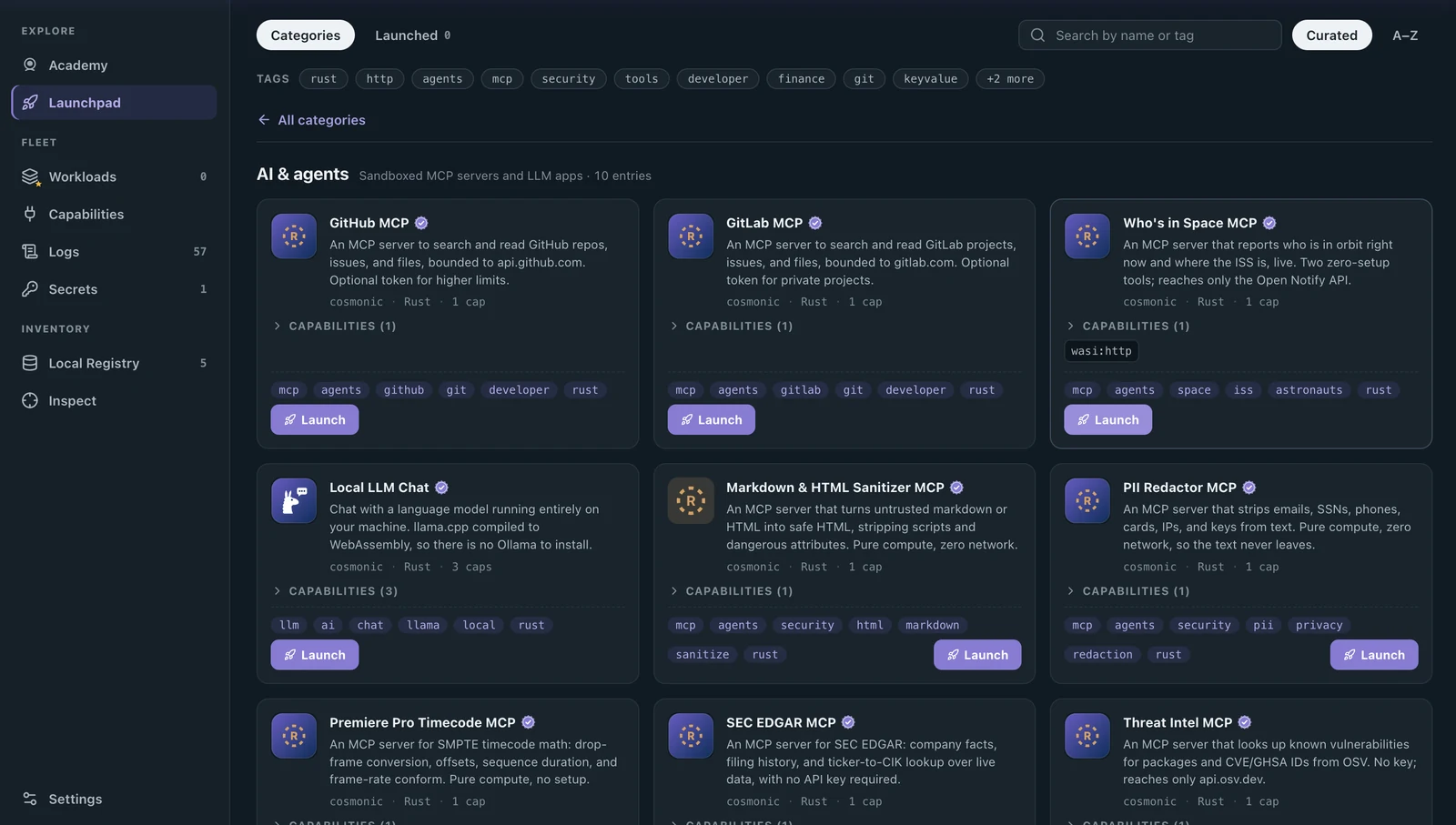
Click the Who's in Space MCP card itself, not the Launch button. That opens a panel with more about the server, including the capabilities it declares.
Scroll down to Review before launch. This stages the workload for inspection: nothing is downloaded or deployed yet.
Read the manifest: the host interfaces the server declares, and its egress allowlist. This is the grant the host will enforce once the workload runs, so you are reading the boundary itself rather than taking the card's word for it.
Who's in Space declares
wasi:httpto serve its own endpoint and to make its one outbound call, and its allowlist holds a single host:api.open-notify.org. That one API is the entire world it will be allowed to touch. A request to anywhere else never had the capability to begin with, so it fails at the boundary rather than being caught after the fact.
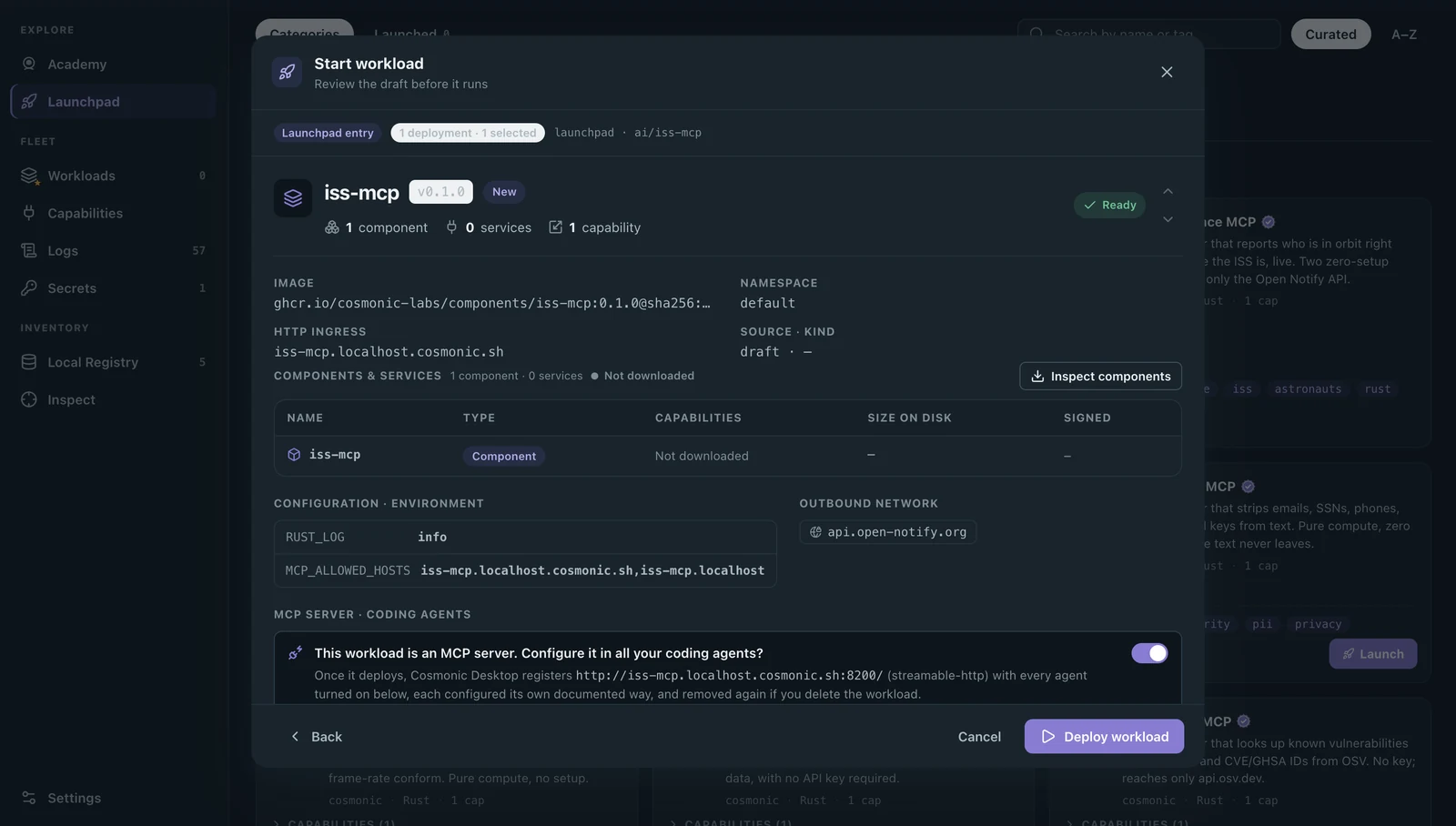
Click Deploy workload. Desktop pulls and verifies the component image, and moves you to Workloads, where you can watch the server reach Running.
The review screen is also where you can register the server with your coding agents before it runs. Launch straight from a Launchpad card instead and Desktop asks at that point, and either way you can do it later from Workloads with the server's Coding agents button.
See the sandbox boundary
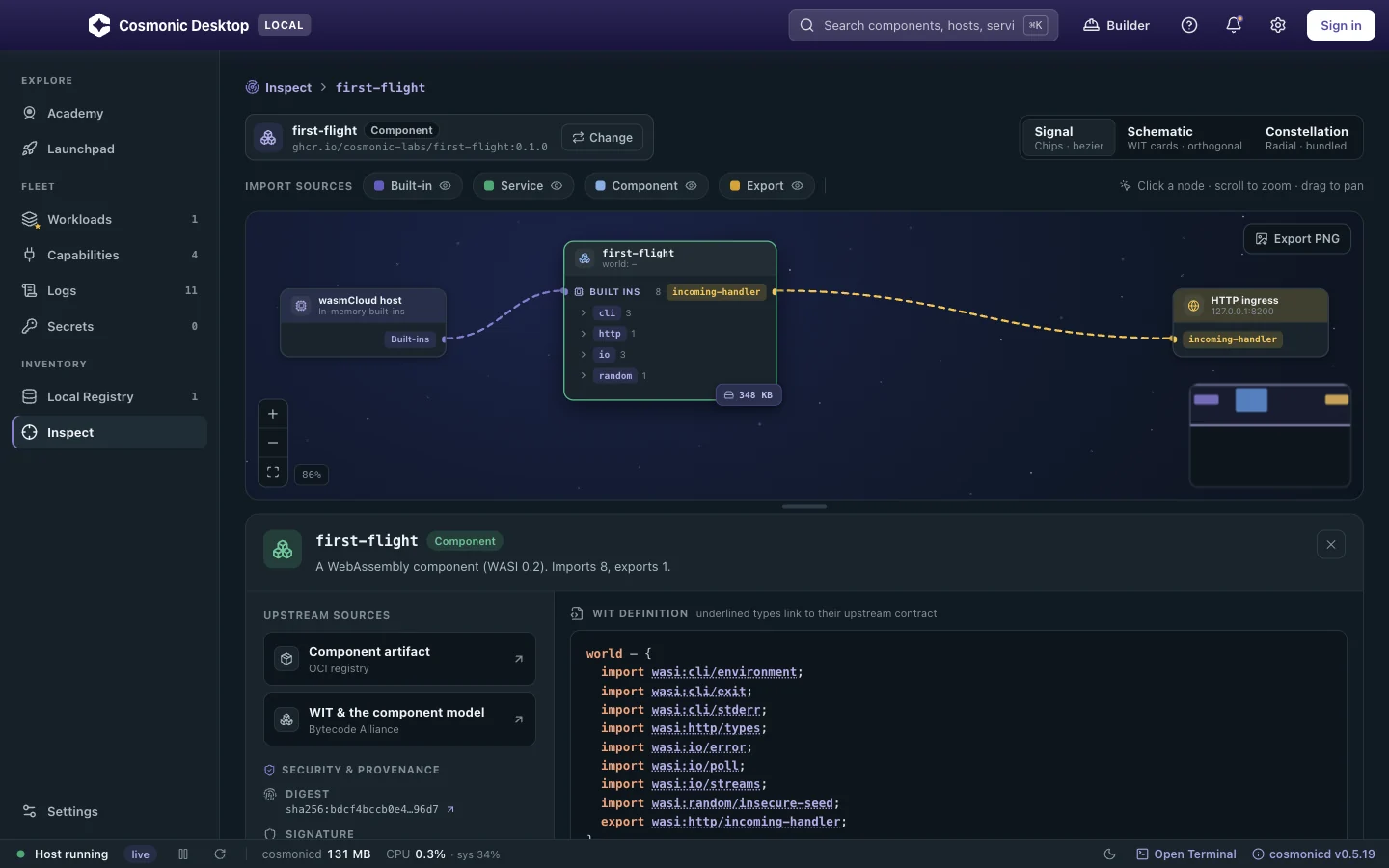
The manifest told you what the host will grant. Inspect shows what the component itself asks for, read from the running binary.
Open the running workload in Inspect, from its row in Workloads.
Compare the two halves: the interfaces the component declares it depends on, and the egress the host has actually granted it.
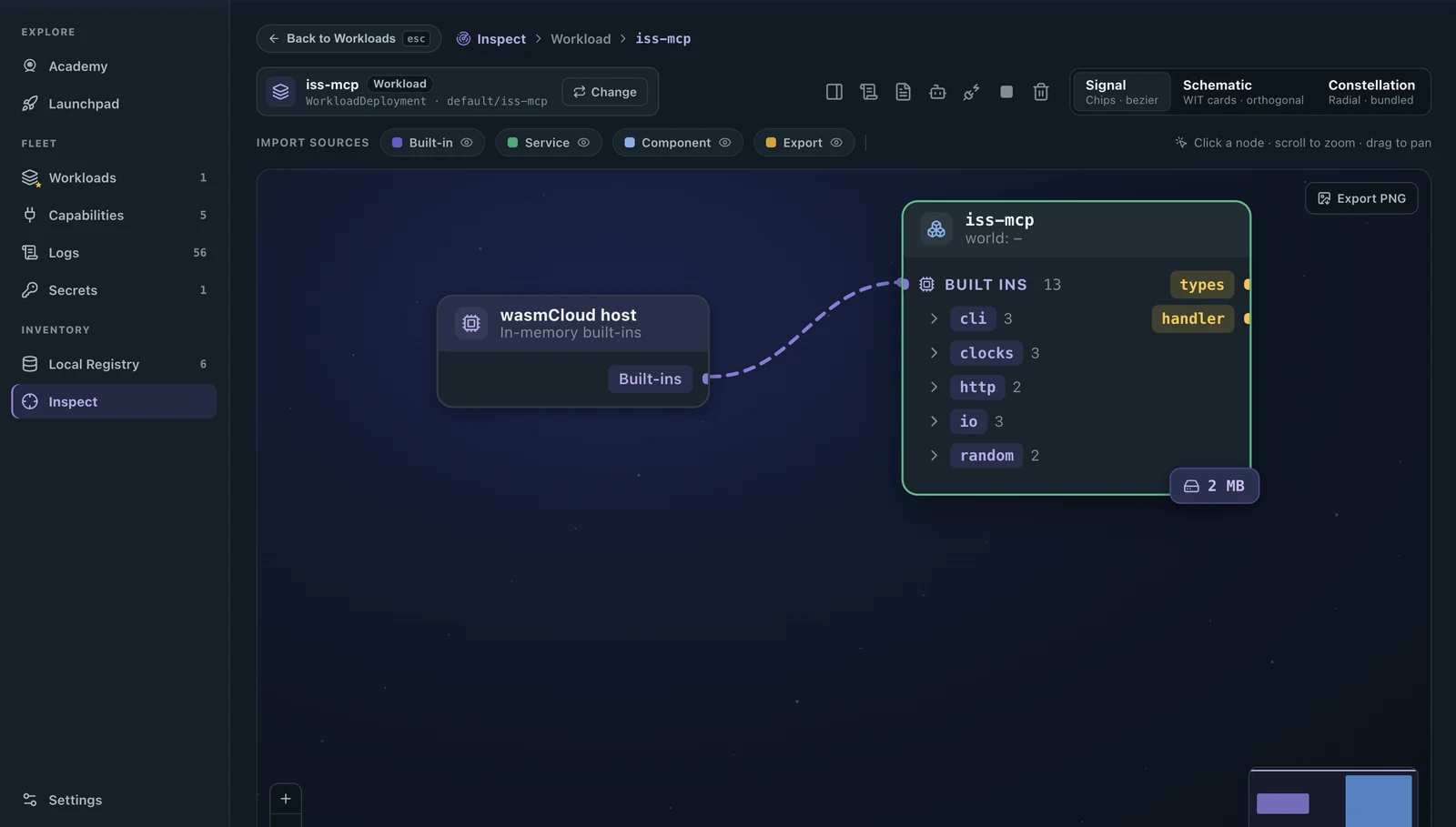
A component reaches a capability only when it is declared by the component and granted by the host, and Inspect shows you both halves for what is really running.
What you see listed here is the first half: the interfaces iss-mcp depends on. cli, clocks, http, io, random. A dependency is not an enabled capability. Importing http says the component knows how to make a request; whether it may make one, and where to, is the second half, and that is the grant you read on the review screen: one host, api.open-notify.org. A server that imports http and is granted nothing reaches nowhere.
Suppose the server were poisoned and its code told to read ~/.ssh/id_rsa and post it somewhere: it has no filesystem grant to read the key, and no network beyond that one host to send it out. The injection would fire and land on the wall you can see above.
For more detail, see MCP server security.
Call it from your agent
Back in Workloads, the server's Tools column carries an MCP Inspector button alongside the usual actions. That button is Desktop telling you it understands this workload is a server your agents can call.
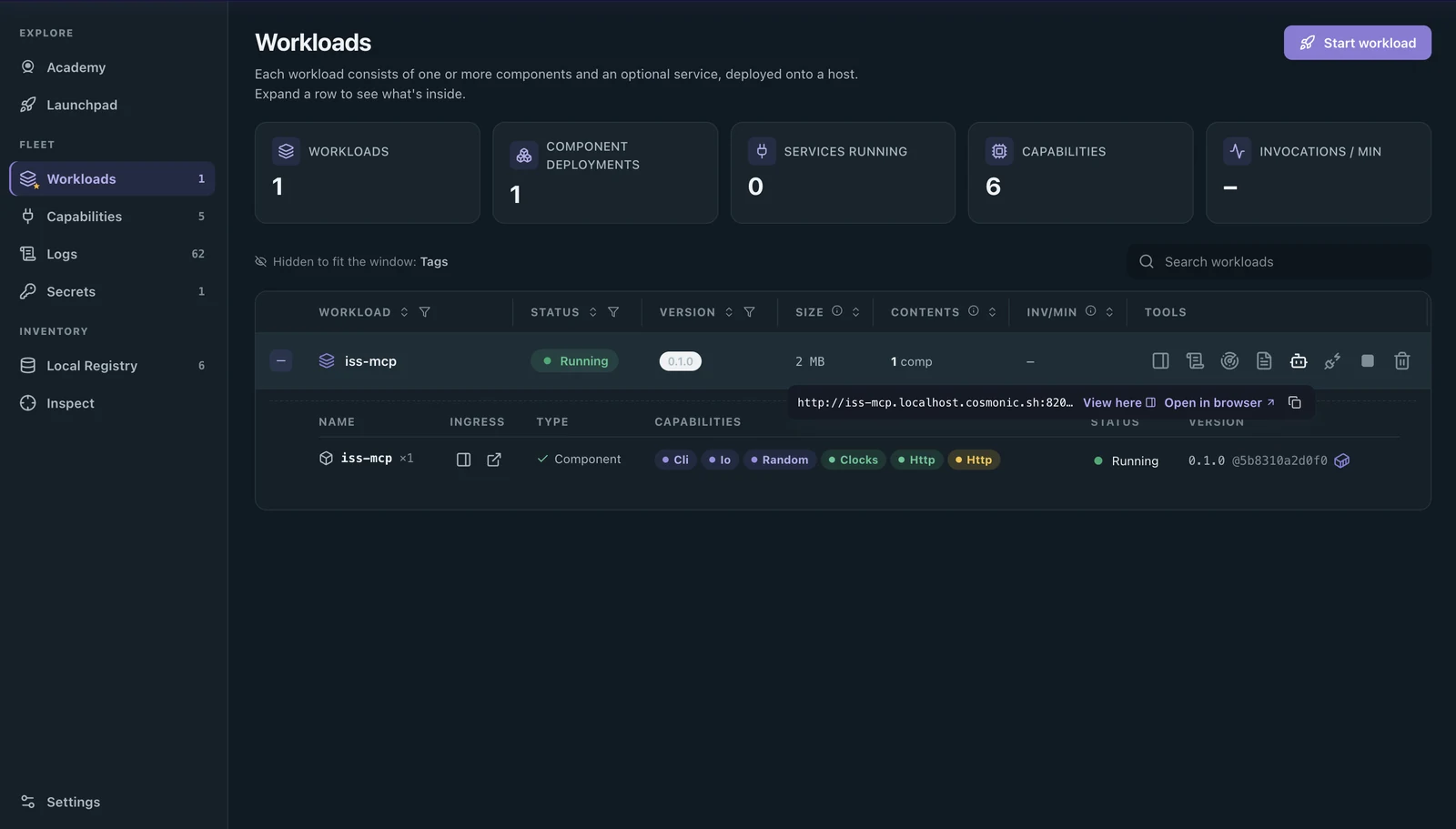
Click MCP Inspector. It opens inside Desktop, connects to the running server, and lists every tool the server offers. Who's in Space has two:
who_is_in_spacereturns the people currently in orbit and the craft each is aboard, andiss_positionreturns the station's current latitude and longitude.Select
who_is_in_spaceand run it. The tool takes no input, so the live result appears right there: the astronauts in orbit at this moment. This is the point of the Inspector. You see exactly what each tool does, by hand, on your own machine, before any agent calls it.Click Coding agents on the server's row, pick your agent, and Desktop registers the sandboxed server for you.
Ask your agent “Who's in space right now?” You can open a terminal from the lower status bar. The agent calls
who_is_in_spaceand answers from live data, inside the boundary you just confirmed.
Your agent has the tool, and the tool can do only what you granted it. Whatever its instructions are told to do, the code still reaches one host and no more.
You sandboxed an MCP server
In four steps you ran untrusted server code with zero authority, granted it exactly one host, confirmed the boundary in Inspect, and let your coding agent call it, all on your own machine. A malicious version of that server is held to what you granted and can reach nothing else.
That is how you sandbox an MCP server: get a host, launch the server, grant least authority, and verify the boundary before your agent calls it.
Sandboxing questions
Can I sandbox my existing Node or Python MCP server?
Is a fresh instance per call slow?
Does this also sandbox the code my coding agent writes?
Run it yourself
Public betaCosmonic Desktop runs this deny-by-default model on your own machine, free forever for personal use, with no account and no cloud, and it's in public beta now. The docs walk through every step above.